
Threads Video Downloader Without Watermark
Tired of downloaders that slap their logo on your videos? This tool gives you the clean original — no added watermark, no tool branding, no signup. Save MP4 files on iPhone, Android, or computer.
Paste a Threads link above to see download options
Does Threads Add Watermarks to Videos?
No. Threads does not automatically add watermarks to videos — unlike TikTok. The video you see on Threads is exactly what the uploader posted: clean, no platform logo, no username overlay. If you see a watermark on a downloaded video, it came from either the original creator (who added it before uploading) or a bad downloader tool that slapped their own logo on your file.
This tool simply downloads the original video file in high quality. We don't add our logo, we don't insert text, we don't compress or re-encode with overlays. You get the same MP4 that was uploaded to Threads — nothing more, nothing less.
How to Download Threads Videos Without Watermark
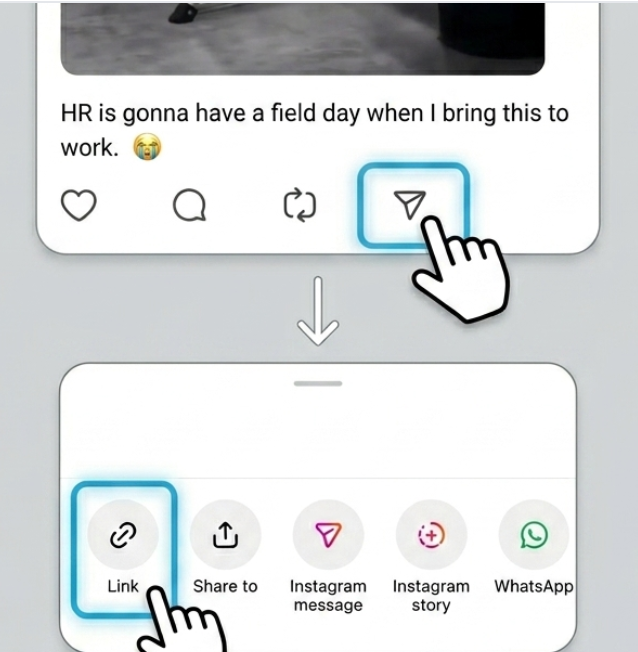
Copy the Threads video link
Tap the share arrow on the video post, then tap 'Copy link'. This gets the URL of the original, un-watermarked video.
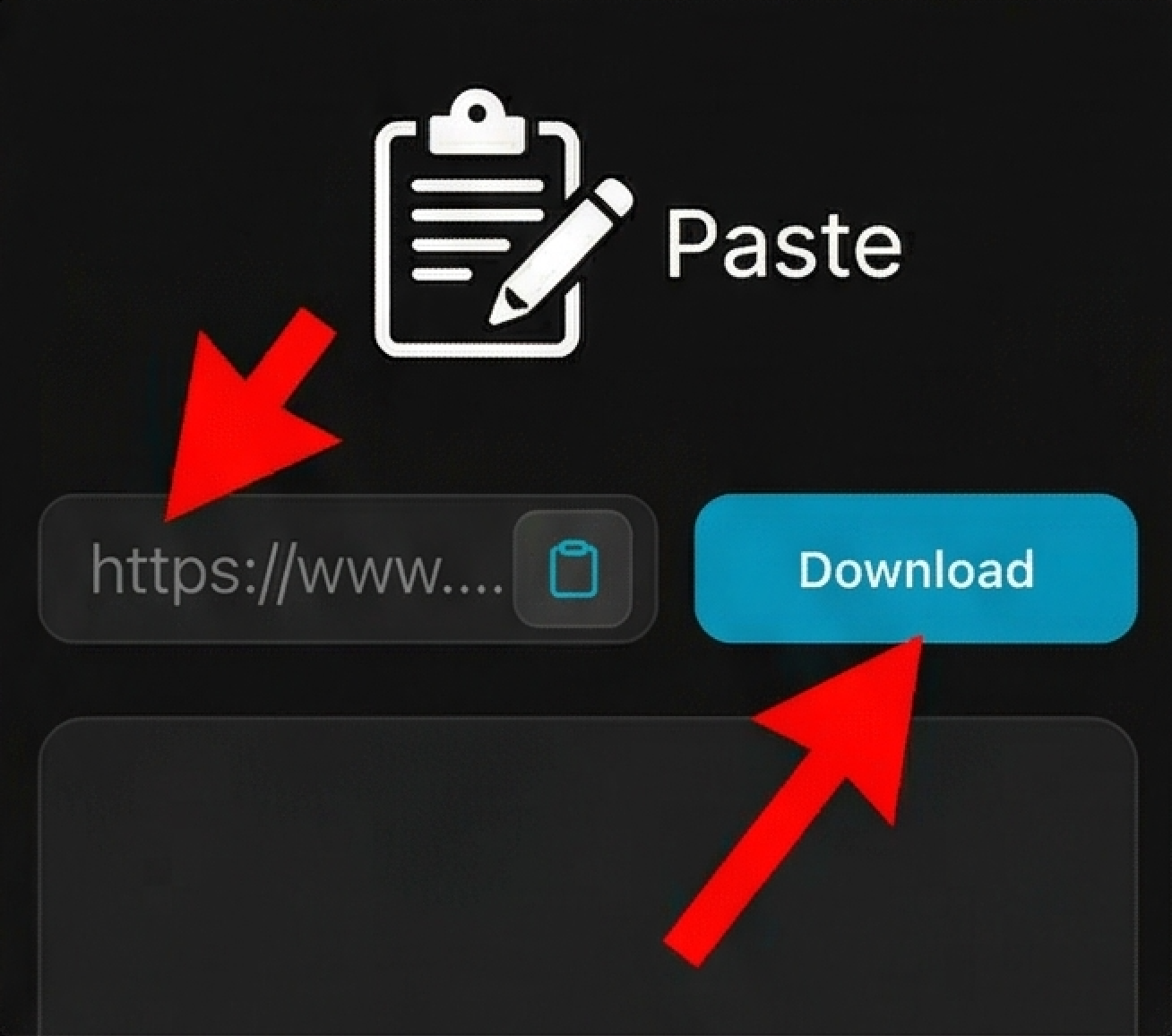
Paste and download
Paste the link above. The tool grabs the video from Threads and prepares a clean download — no processing watermarks added.
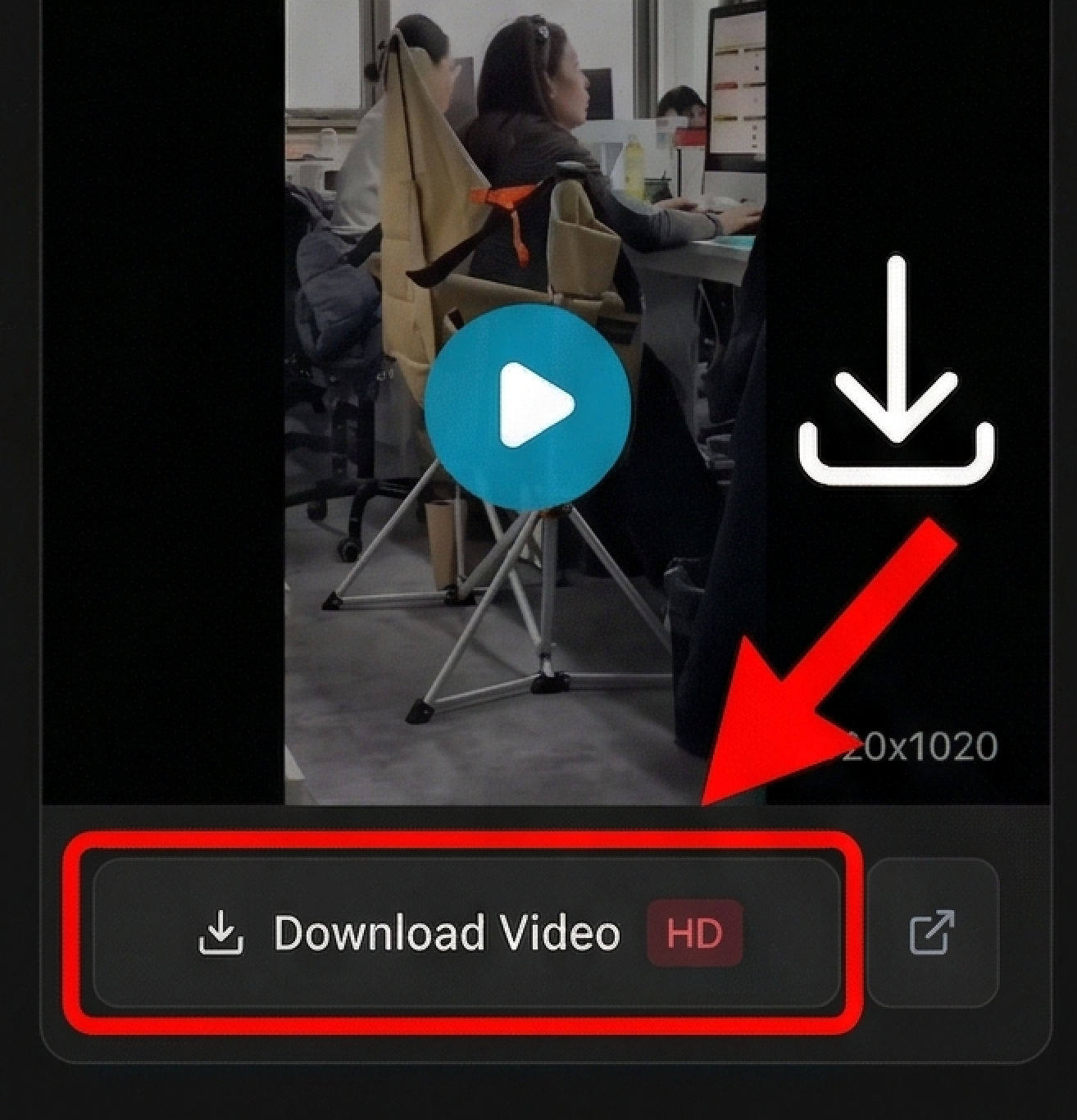
Save the clean MP4
iPhone: Tap download, then 'Save to Photos'. Android: Check your Gallery or Downloads. Computer: Right-click and save. All get the same watermark-free file.
Looking for device-specific guides?
Why This Downloader Won't Add Junk to Your Videos
Zero Added Watermarks
No tool logo, no text overlay, no corner watermark. The MP4 you download is exactly what was uploaded to Threads — nothing added, nothing changed.
No Signup, No Catch
We don't make you create an account to remove watermarks. No 'free trial' that adds a watermark. No upsell. Just download and go.
Clean MP4 Files for Editing
Because there's no watermark, you can drop the downloaded video straight into editing apps, repost to other platforms, or use in projects without covering up logos.
Works Everywhere
Same clean downloads on iPhone, Android, Windows, or Mac. Your device doesn't matter — the video comes out watermark-free every time.
Frequently Asked Questions
Does Threads add watermarks to videos like TikTok?
Will the downloaded video have any logo on it?
Can this tool remove watermarks from videos?
Can I use these videos in my own content?
Why do some downloaders add watermarks?
Does this work for iPhone and Android?
Is the video quality reduced to remove the watermark?
Can I download private Threads videos without watermark?
What format are the watermark-free videos?
Understanding Watermark-Free Video Downloads
Many video downloader tools add their own branding to the files you save — a logo in the corner, text at the bottom, or a watermark covering part of the video. This happens even when the original video was clean. Our Threads downloader doesn't do this. You get the original MP4 file exactly as it was posted, with no added watermarks or tool branding.
This matters if you plan to use the video for editing, sharing to other platforms, or archiving content. Watermarks can't be easily removed without reducing quality, so starting with a clean file saves time. The tool works on any device — iPhone, Android, Windows, or Mac — and requires no signup or app installation.
Disclaimer
ThreadsDL is an independent utility tool and is not affiliated with, endorsed by, or sponsored by Threads, Instagram, or Meta Platforms, Inc. This tool only supports public content that is accessible on the web.