Threads Image Downloader
Paste any Threads post link and grab the original image, photo, or GIF. No more blurry screenshots — get the clean, full-resolution picture file saved straight to your device.
Paste a Threads link above to see download options
Why Screenshots Don't Cut It
You know the drill — you see a great photo on Threads, take a screenshot, and end up with a blurry, cropped mess. The buttons and username get in the way, and the quality is never as good as what you saw on screen.
This Threads image downloader pulls the actual photo, GIF, or picture file straight from Threads. You get the full resolution image — sharp, clean, and ready to save to your iPhone, Android, or computer. No app install needed.
How to Download Threads Images & Photos
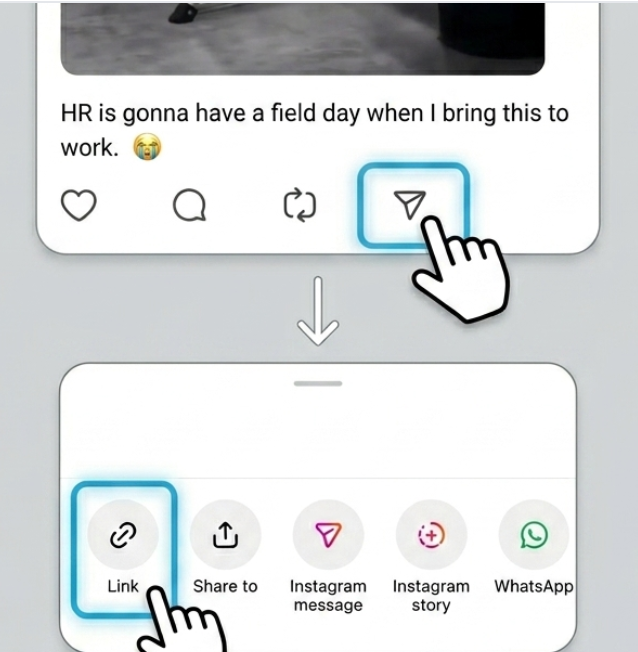
Copy the Threads post link
Tap the share arrow below the post, then tap 'Copy link'. This works in the Threads app or on the website.
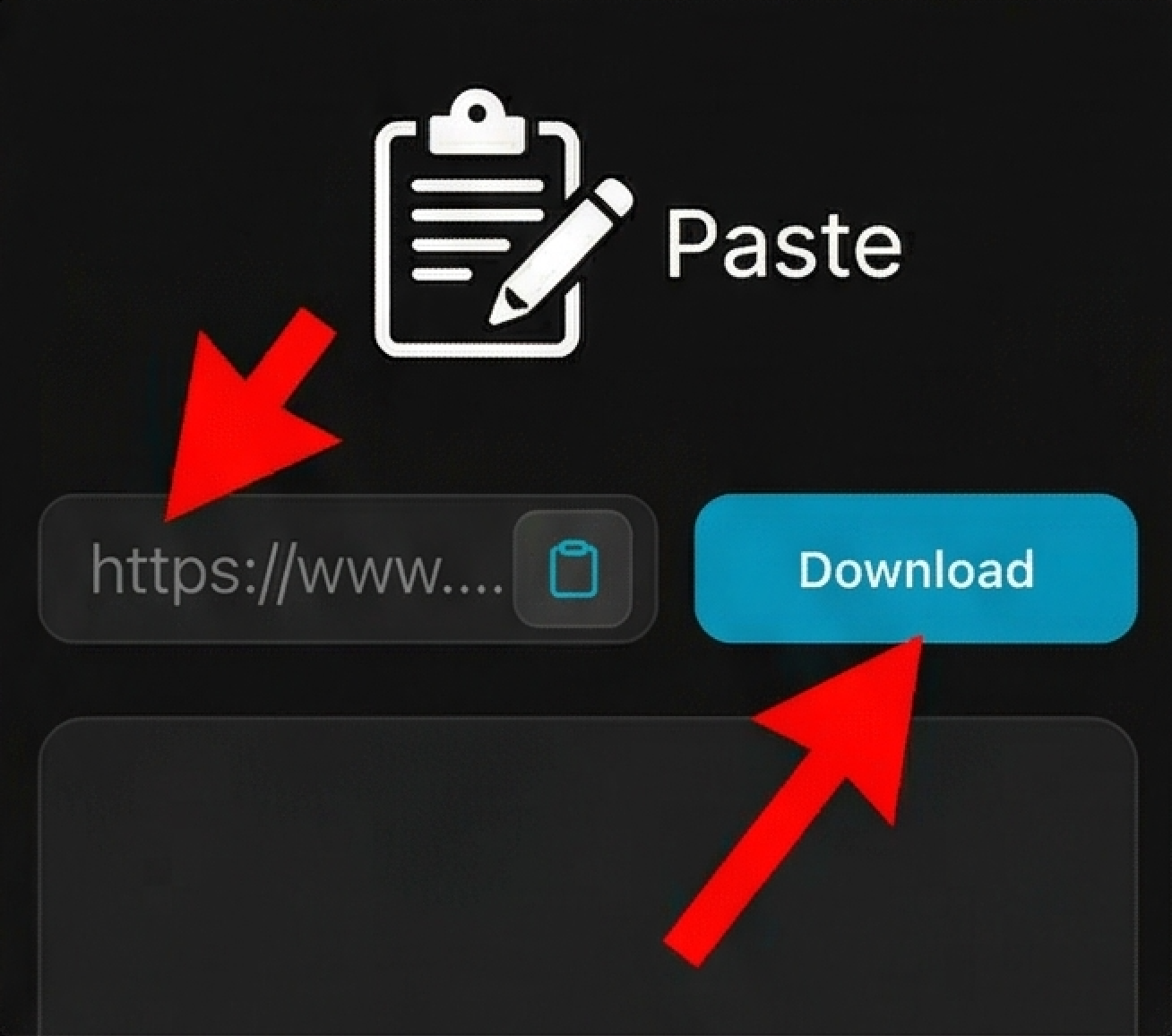
Paste the link above
Drop the Threads URL into the input box and let it load. The tool fetches the original image file in a few seconds.
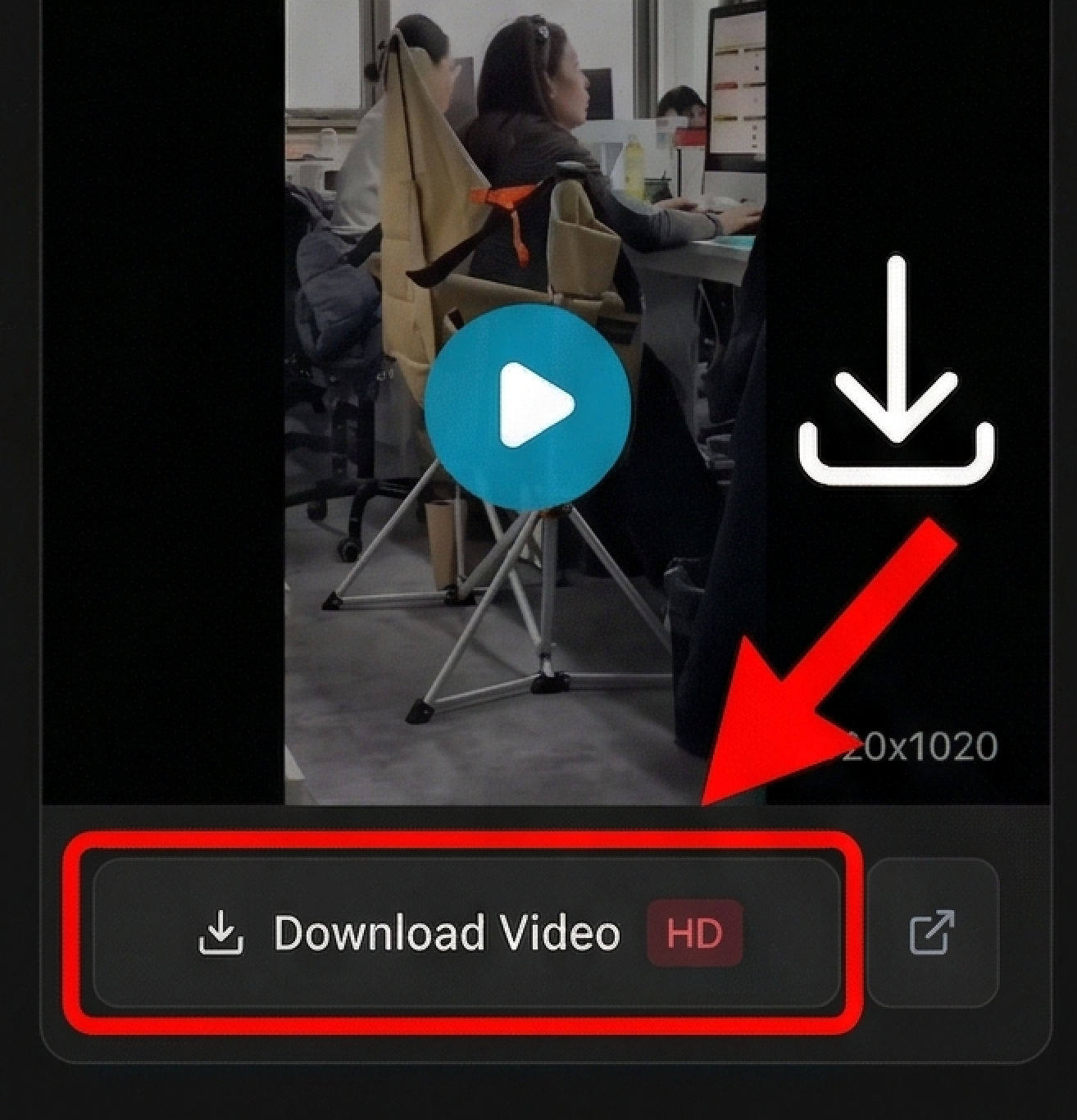
Save the picture to your device
iPhone users: tap and hold the image, then 'Add to Photos'. Android: long press and 'Download image'. On a computer, right-click and 'Save image as'.
Looking for device-specific guides?
Why Download Instead of Screenshot?
Get the Actual Image File
Screenshots are limited by your screen size. This Threads photo downloader grabs the original image as it was uploaded — usually much sharper than any screenshot you could take.
No Buttons or Text in the Way
Download pictures without the Threads interface blocking the view. No username bar, no icons, no caption overlays — just the clean photo.
Works for Single Photos and Multi-Image Posts
Whether it's one photo or a carousel of images, you can download each picture individually. Same process for every image in the post.
Just a Browser, That's It
No need to install anything or create an account. This free image downloader runs right in Safari, Chrome, or whatever browser you're already using.
Frequently Asked Questions
What can I download with this tool?
Why is this better than taking a screenshot?
Will there be a watermark on the downloaded image?
How do I save to my iPhone Photos app?
Can I download multiple images from one post?
Do GIFs work too?
Is this safe to use?
Why can't I download some images?
Stop Taking Screenshots of Threads Images
Screenshots of Threads photos are blurry, cropped, and covered in UI elements like the username bar and menu buttons. The original image file is often much higher resolution — sometimes double or triple the pixel count of your screen.
This Threads image downloader grabs the actual photo, GIF, or picture file as it was uploaded. You get the sharp, clean version without any on-screen distractions. Whether you're saving a meme, a wallpaper, or a reference photo, downloading beats screenshotting every time.
Disclaimer
ThreadsDL is an independent utility tool and is not affiliated with, endorsed by, or sponsored by Threads, Instagram, or Meta Platforms, Inc. This tool only supports public content that is accessible on the web.